Separate Scan Workspaces
Keep several Card Catalog, Tracked Cards, or Owned Cards searches open without losing each workspace’s scope and results.
 Join the Waitlist
The CardDirector Product / Windows Desktop
Research it. Inspect it. Send it for grading. Sell it—or keep it. Bring the costs, notes and next step back to one connected record.
Development preview. Public software access and paid sales are not open yet.
01 / Discover & Evaluate
Separate a card identity you follow from the physical copies you own. Keep entered acquisition costs and notes close to the assumptions you’re reviewing.
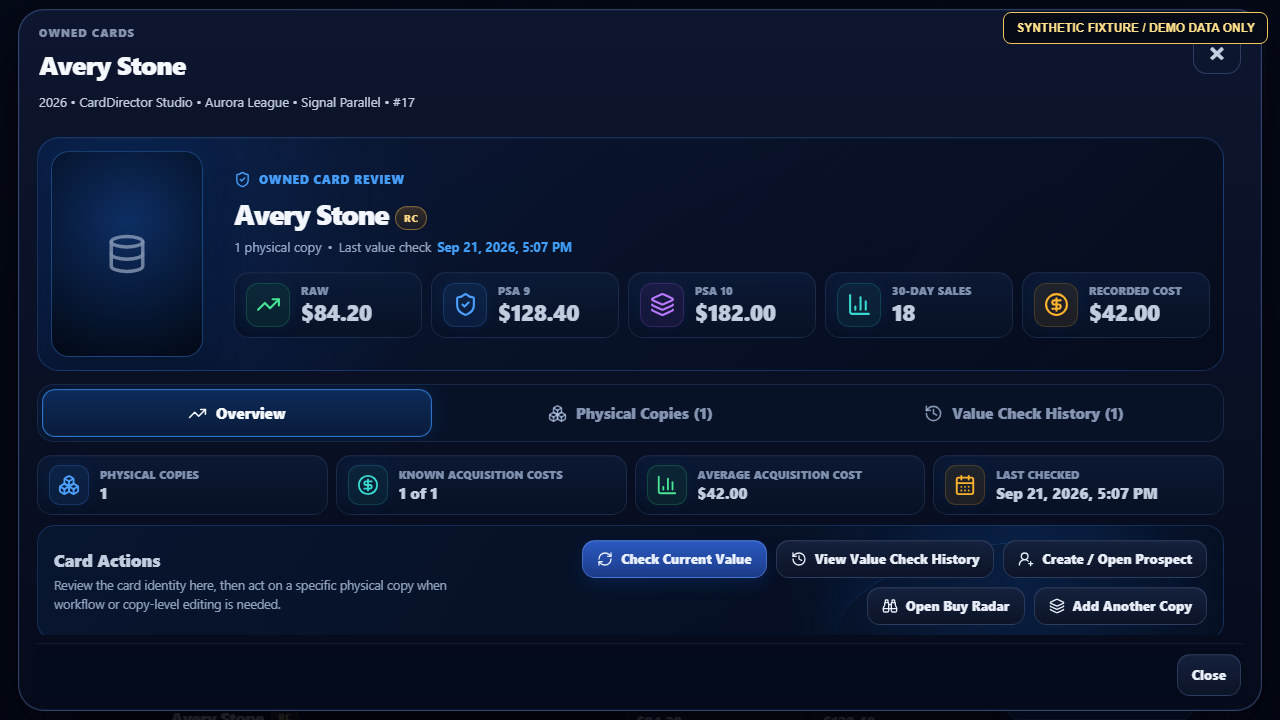
Your Inputs Stay in Context. Market estimates and grade scenarios can support a comparison when their inputs are available. They are assumptions to review, not promised grades or returns.
Provider Access Is Separate. Live market data and eBay listings are not demonstrated here. See Connection Availability →
Discover & Evaluate
Start from the Card Catalog, a card identity you intentionally track, a physical copy you own, or broader market movement. Compare estimated raw and graded values, sales activity, costs, grade assumptions, and possible outcomes before moving the card forward.
Synthetic fixture / Demo data only. No live market or customer data.
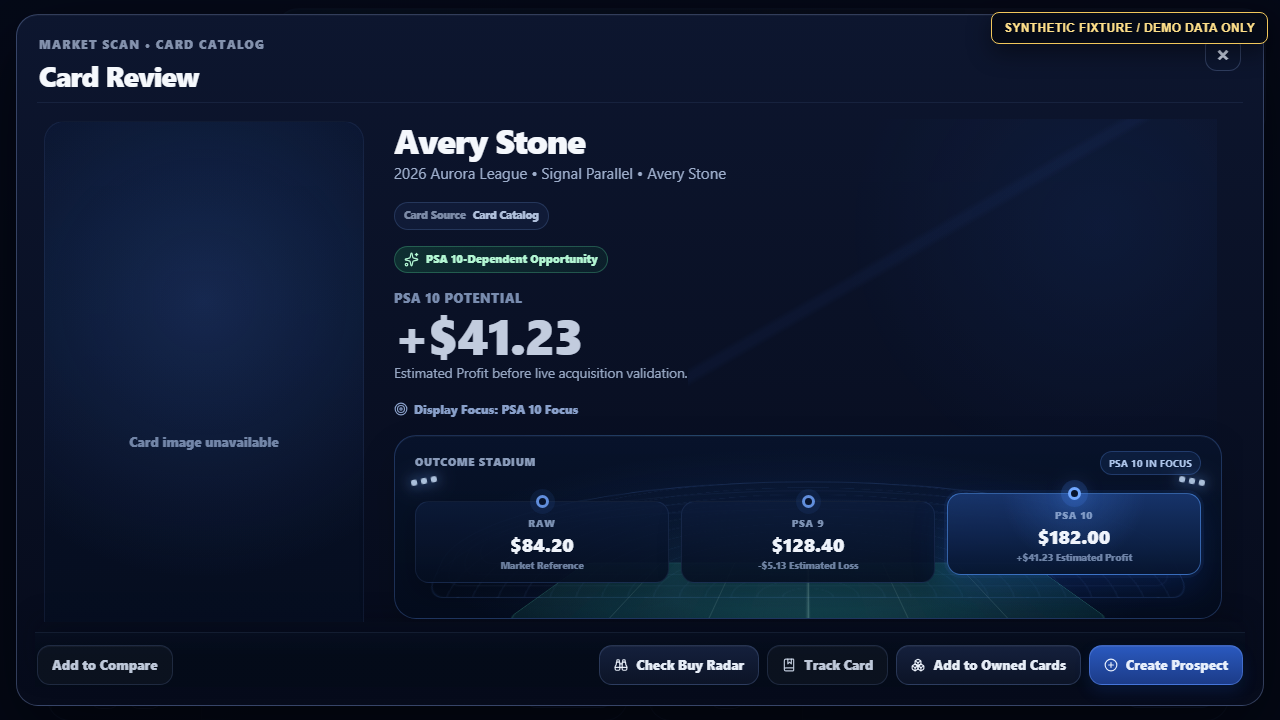
This current UI capture shows the fictional Market Scan sequence from scope selection through Run Market Scan and results review. It uses Football, 2026, CardDirector Studio, 2026 Aurora League and Signal Parallel fixture values; no live provider data is shown.
Synthetic fixture / Demo data only. No live market or customer data.
This companion synthetic fixture capture shows the same fictional Market Scan result in its workspace context. It is a static view of the result and does not claim workspace renaming or live retrieval.
Synthetic fixture / Demo data only. No live market or customer data.
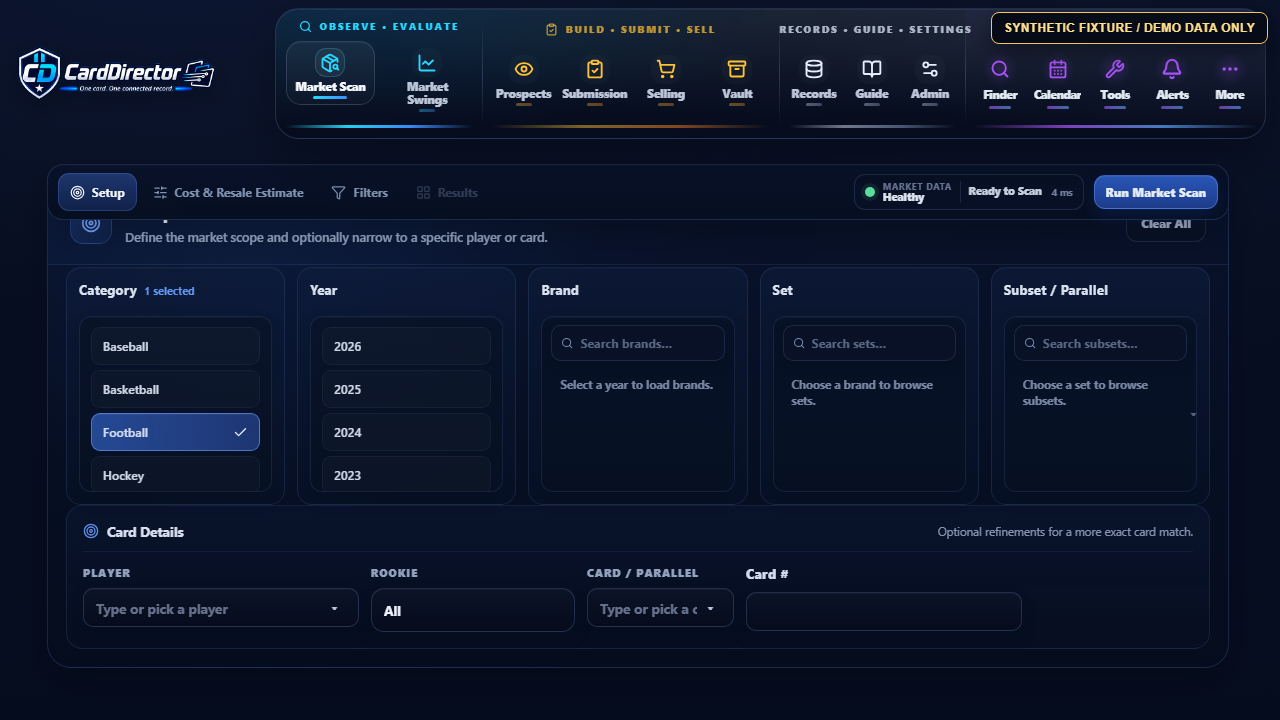
This synthetic fixture shows Market Scan beginning from the Card Catalog with Football selected before results are run. It is a demonstration frame; no live provider data is shown.
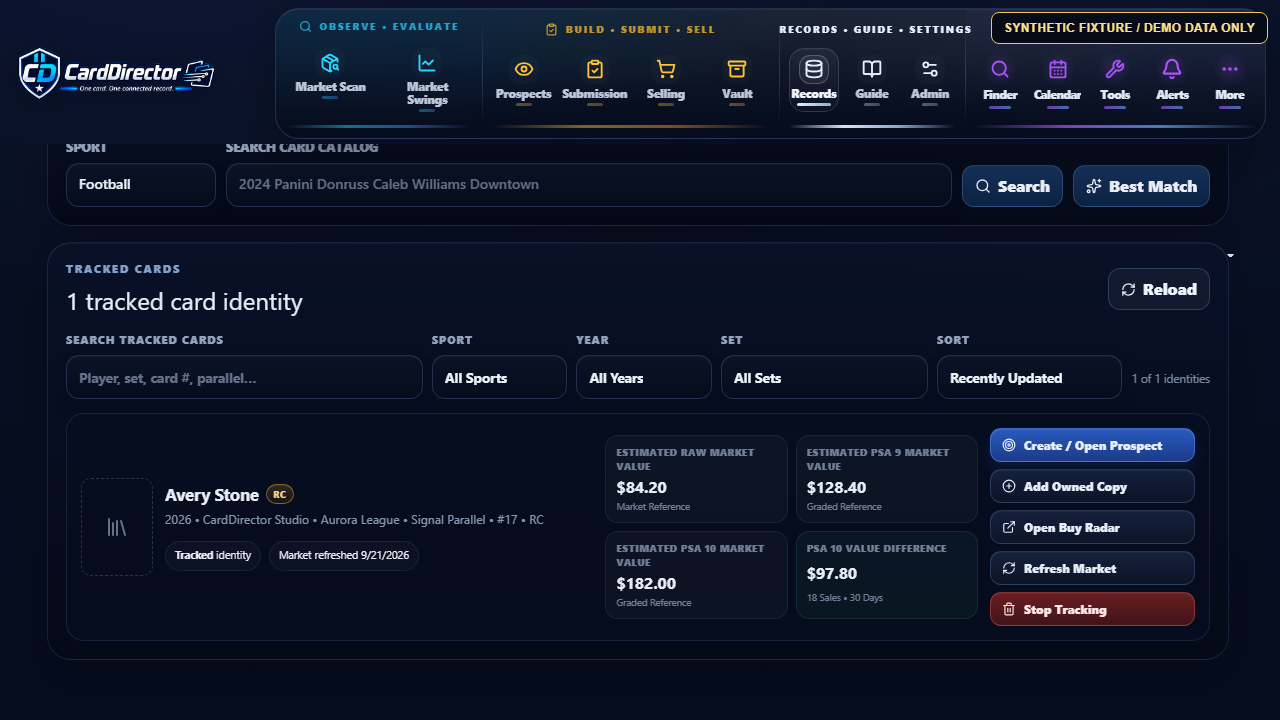
Synthetic fixture / Demo data only. No live market or customer data.
Synthetic fixture / Demo data only. No live market or customer data.
Keep several Card Catalog, Tracked Cards, or Owned Cards searches open without losing each workspace’s scope and results.
The planned connected workflow can request estimated market information and keep timestamped checkpoints. Provider availability and coverage must be confirmed before release.
Open a Prospect or add an owned copy without rebuilding the underlying card identity.
Synthetic fixture / Demo data only. No live market or customer data.
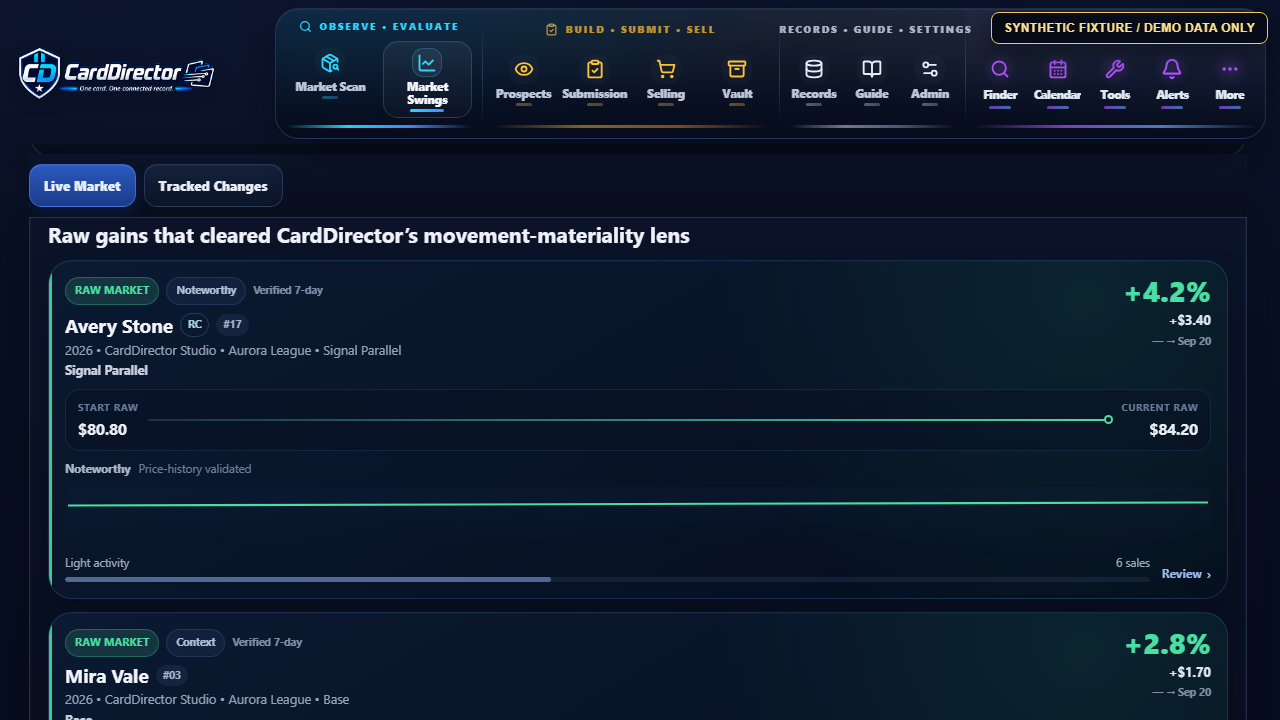
This current UI capture shows the fictional Market Swings sequence from Football and 7-day Live Market scope through Run Intelligence and Avery Stone review. The fixture shows a move from eighty dollars and eighty cents to eighty-four dollars and twenty cents, a three-dollar-forty-cent raw change and 4.2% movement; no live market data is shown.
Synthetic fixture / Demo data only. No live market or customer data.
This synthetic fixture shows the Market Swings movement cards and review graph after Run Intelligence. Values and movement are illustrative; no live market data is shown.
Live market data is a separate dependency. These development demonstrations use fictional data. Connected card search and pricing are planned for launch, subject to provider agreements, verified access and final coverage.
Research & Purchase
A tracked identity. A copy you already own. A manual entry. Give the record a useful starting point, then decide what to do next.
Purchasing a card happens outside CardDirector. Live eBay listing research is planned and is not connected in this preview.
Research & Purchase
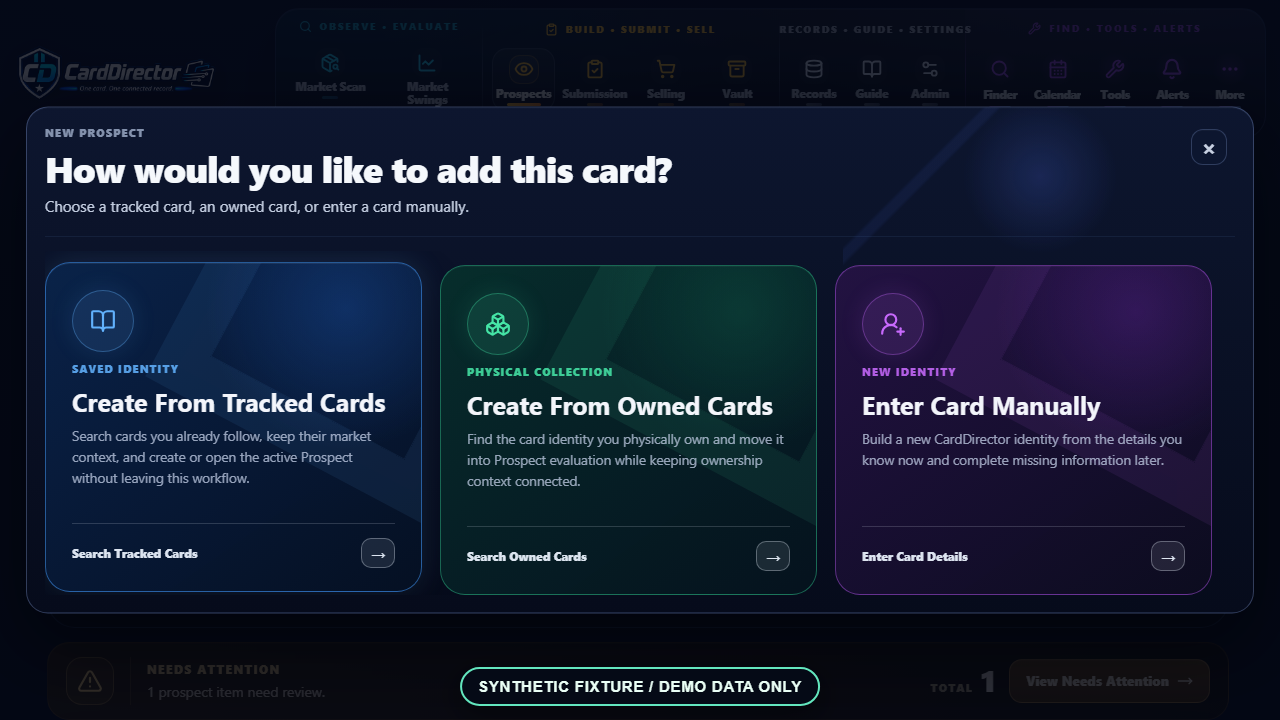
Begin with a tracked identity, an owned copy, or a manual card entry. Live eBay listing research through Listing Lookup and Buy Radar is planned and is not connected in this preview. Keep the card’s identity, market context, and user-defined purchase limits together before a Prospect is created or updated.
Planned workflow: use card context or a reviewed manual search to find relevant eBay listings. Live listing access is not connected.
Compare listing identity, format, price, shipping, and available seller information before acting.
Create or update the Prospect only after you review the candidate yourself.
Synthetic fixture / Demo data only. No live market or customer data.
Found a card CardDirector hasn’t matched yet? Start with it anyway. Create the Prospect manually, enter the card identity, add your own values, purchase details, and notes, and keep the same CardDirector Item ID as the card moves forward. You can connect supported market data later without rebuilding the record.
02 / Inspect & Submit
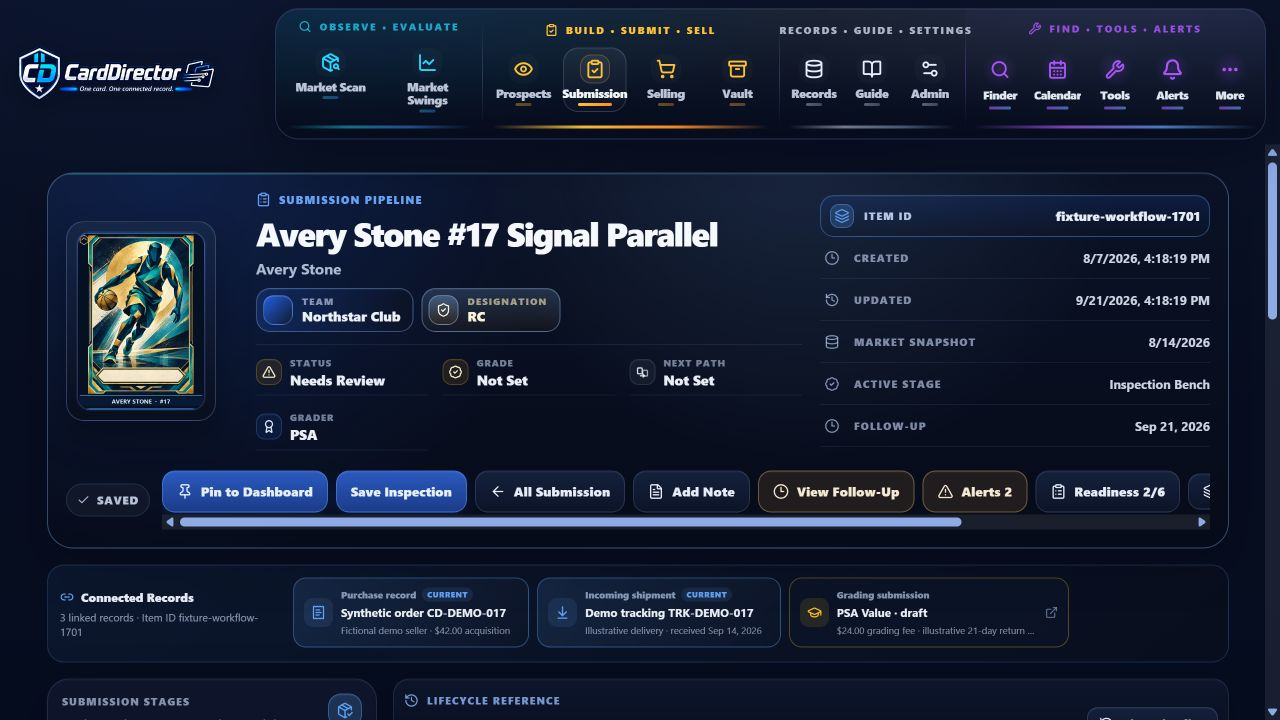
Review the card’s front and back. Keep inspection findings with submission choices, fees and dates. Record the grader’s result when it returns, then decide the card’s next path.
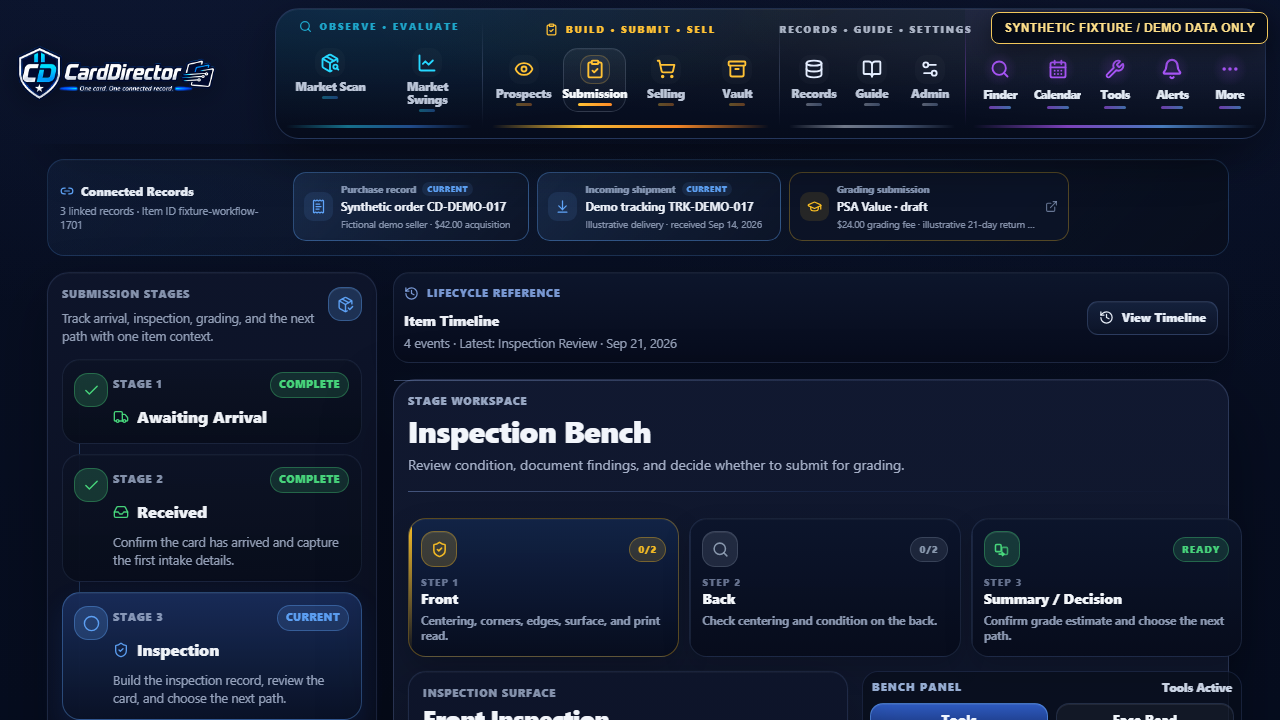
Arrival to grade return. Organize receipt, inspection, submission and grades received as distinct stages.
Your inspection, the grader’s decision. CardDirector helps record and review your findings. It does not guarantee or issue a professional grade.
Inspect & Submit
After purchase, track arrival, inspection, grader and service choices, order details, dates, fees, grades, certification information, and the decision to sell or retain the card.
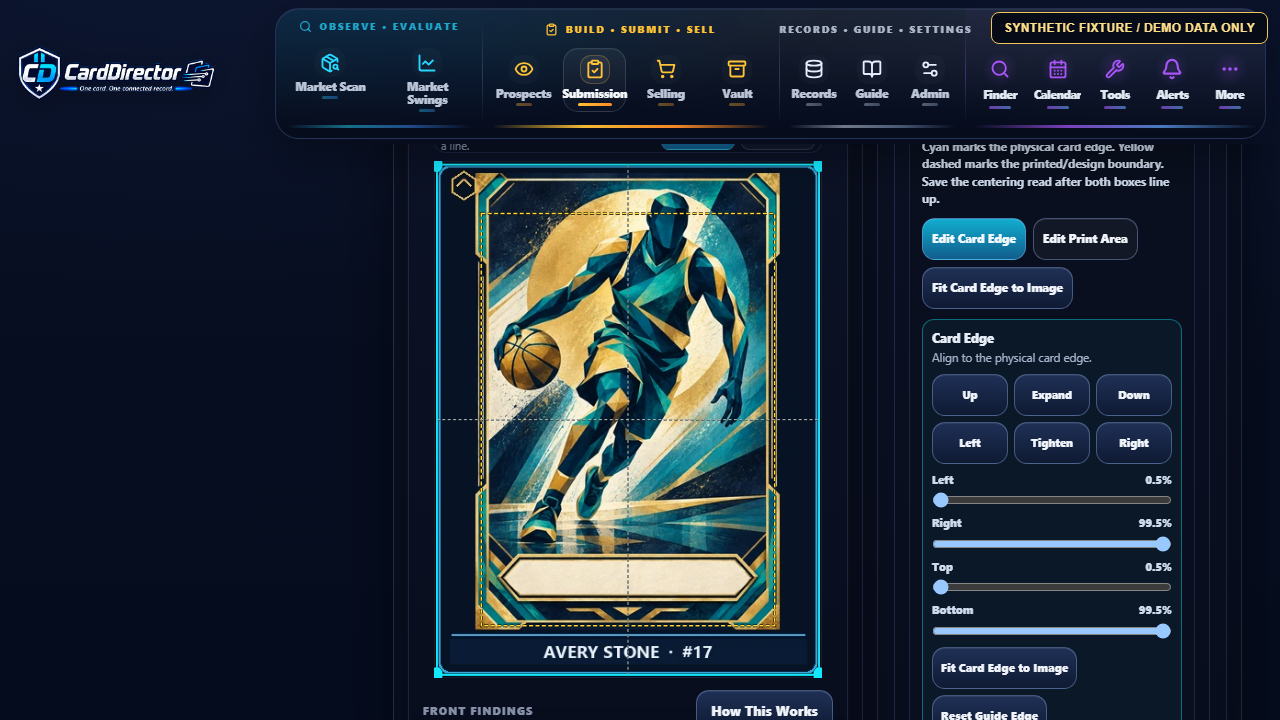
Synthetic fixture / Demo data only. No live submission or customer data.
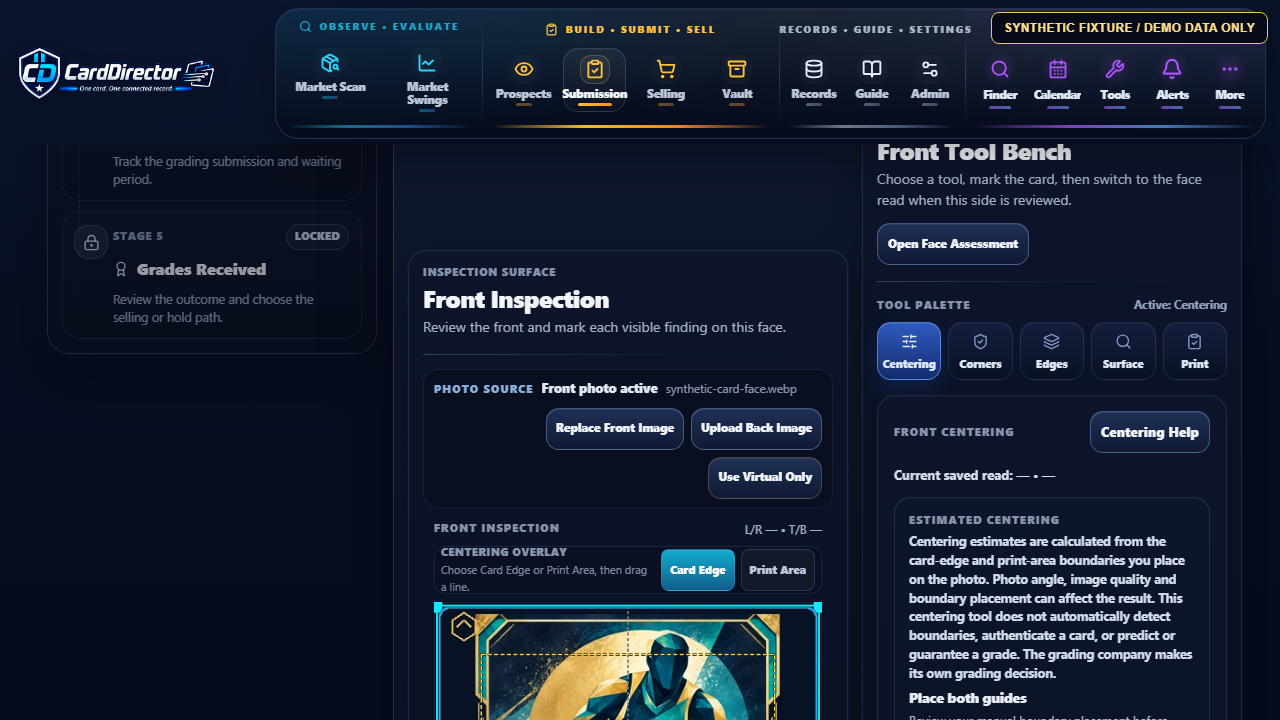
Synthetic fixture / Demo data only. No live submission or customer data.
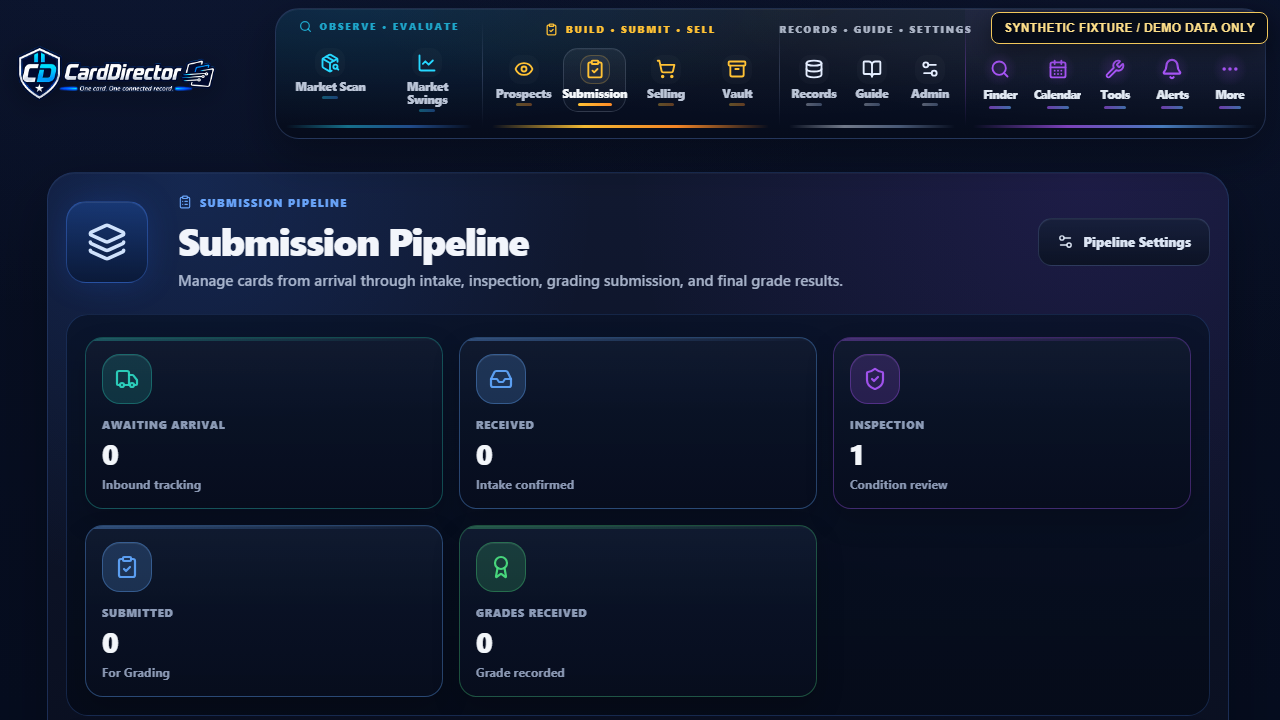
Synthetic fixture / Demo data only. No live submission or customer data.
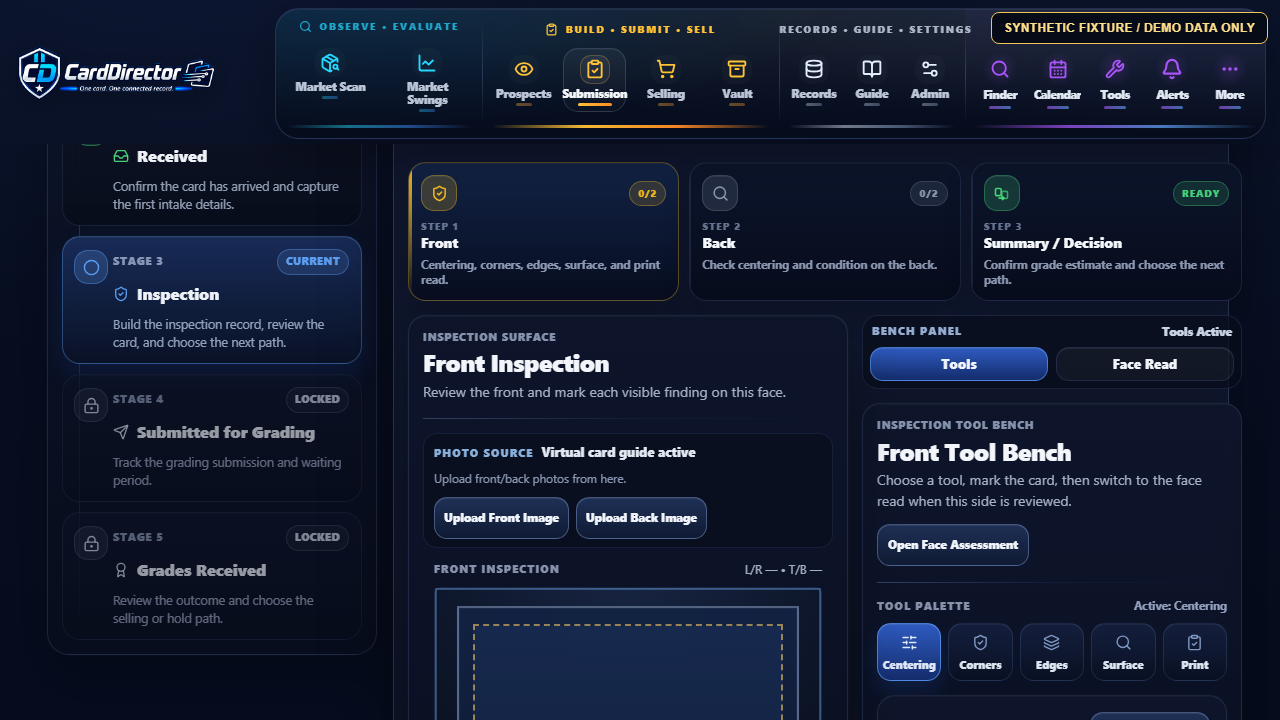
Synthetic fixture / Demo data only. No live submission or customer data.
03 / Price, Sell & Close Out
Keep asking and minimum prices alongside recorded costs. Follow your listing plan and, after a sale, enter the result and related expenses for a closeout review.
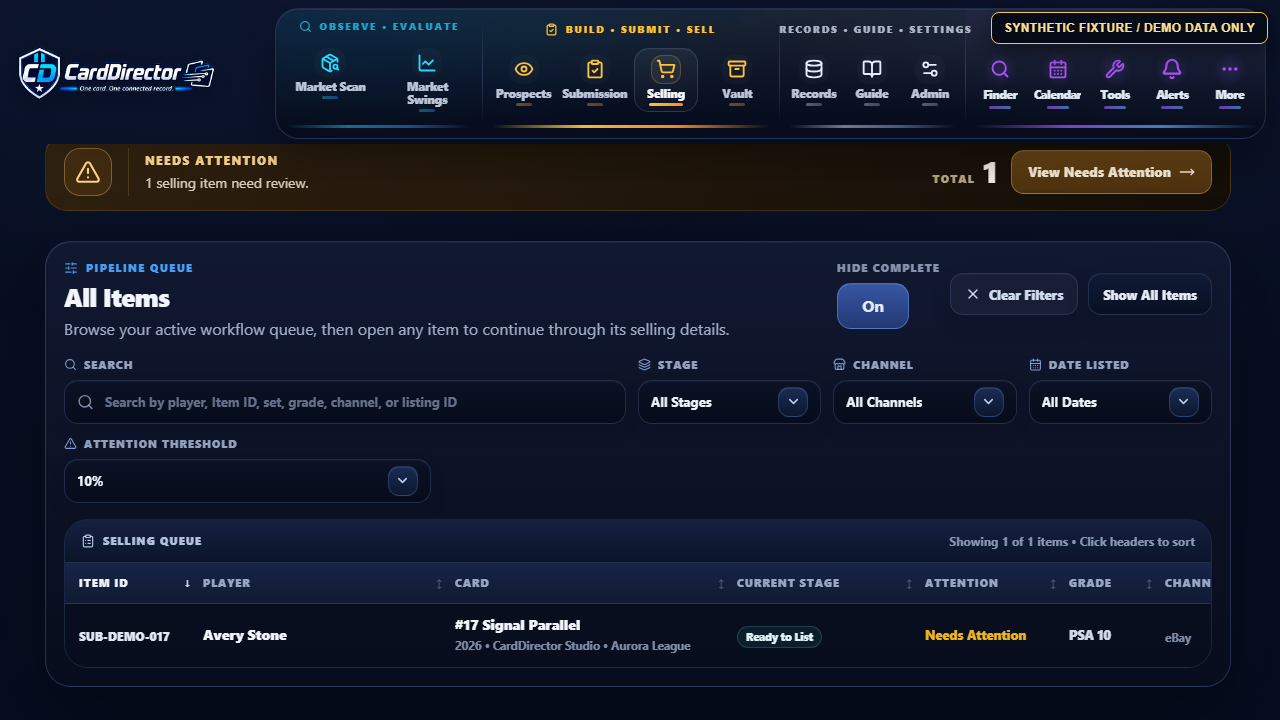
Keep the figures together. Recorded revenue, acquisition and grading costs, fees, shipping and other entered expenses support the recorded result.
Sell on your chosen platform. CardDirector does not operate a marketplace or automate card purchases. Recorded Profit/Loss is based on your entered transaction details.
Price, Sell & Close Out
Keep your listing plan, asking prices and recorded costs together. Follow the card through the sale, then review Recorded Profit/Loss with its fees and expenses in view.
Listing Preparation
Review asking and minimum prices alongside the card’s recorded costs, notes, and listing details. Keep each pricing decision connected to the record as the card moves toward a sale.
Market-data availability depends on the final release and provider agreements.
Recorded Sale Review
Keep recorded sale revenue, marketplace fees, shipping and handling costs, acquisition cost, grading cost, and other user-entered expenses together for a transparent closeout review.
Recorded Profit/Loss describes a completed user-recorded transaction based on entered sale revenue, costs, fees, and shipping. It is not a prediction, appraisal, tax calculation, or financial recommendation.
Synthetic fixture / Demo data only. No live listing, sale or customer data.
04 / Vault & Retained Cards
Hold it for later review or keep it in your personal collection. Return to the card’s identity, recorded costs and notes when your plans change.
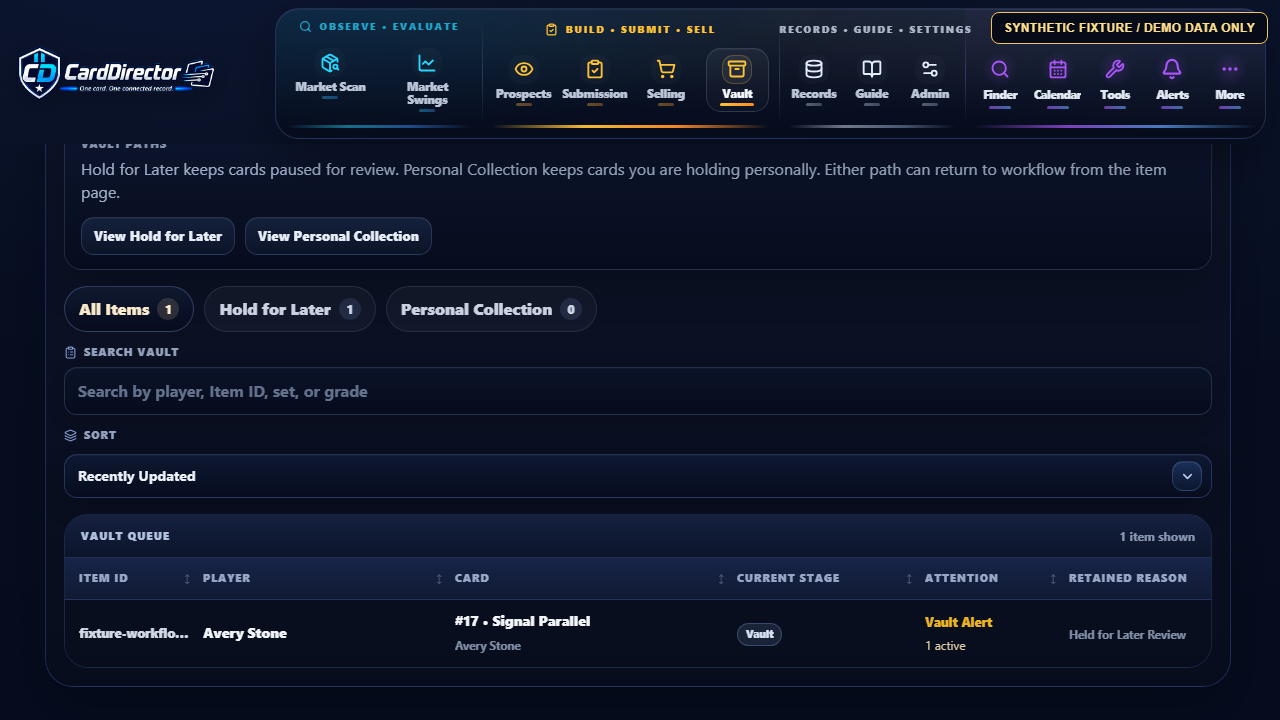
eBay Shipments & Retained Cards
Vault keeps the cards you choose to retain with their recorded context. Optional eBay order and shipment connections are planned; live eBay access is not connected in this preview.
Package Tracking Boundary
Planned connection: live eBay order and shipment access is not connected in this preview.
Connect Your eBay AccountAuthorization is optional and controlled by the user.
Match Eligible OrdersPurchase and sale shipments are limited to orders available through that account.
Show Available UpdatesEvents and delivery estimates depend on information supplied through eBay.
Retained-Card Record
Vault keeps retained cards available for later review while preserving their connected record.
Synthetic fixture / Demo data only. No live retained-card or customer data.
Planned Package Tracking requires a connected eBay account and is limited to available shipment information for eligible orders. Live eBay access is not connected in this preview. CardDirector does not connect directly to carrier accounts.
Around the Card
The main workflow carries the card. Supporting tools help you return to the right record and focus on the work in front of you.
Home & Priorities
Bring the cards, follow-ups and tools you use most into one Dashboard. Open the right record with Item Finder, then pick up where your research left off.
Synthetic fixture / Demo data only. No live market or customer data.
This current UI capture shows Customize Dashboard with the Action Inbox footprint choices open over the fictional Dashboard. The visible choices illustrate how a widget can be set to Compact, Tall, Wide, or Large; this clip does not show dragging, saving, or a completed layout change.
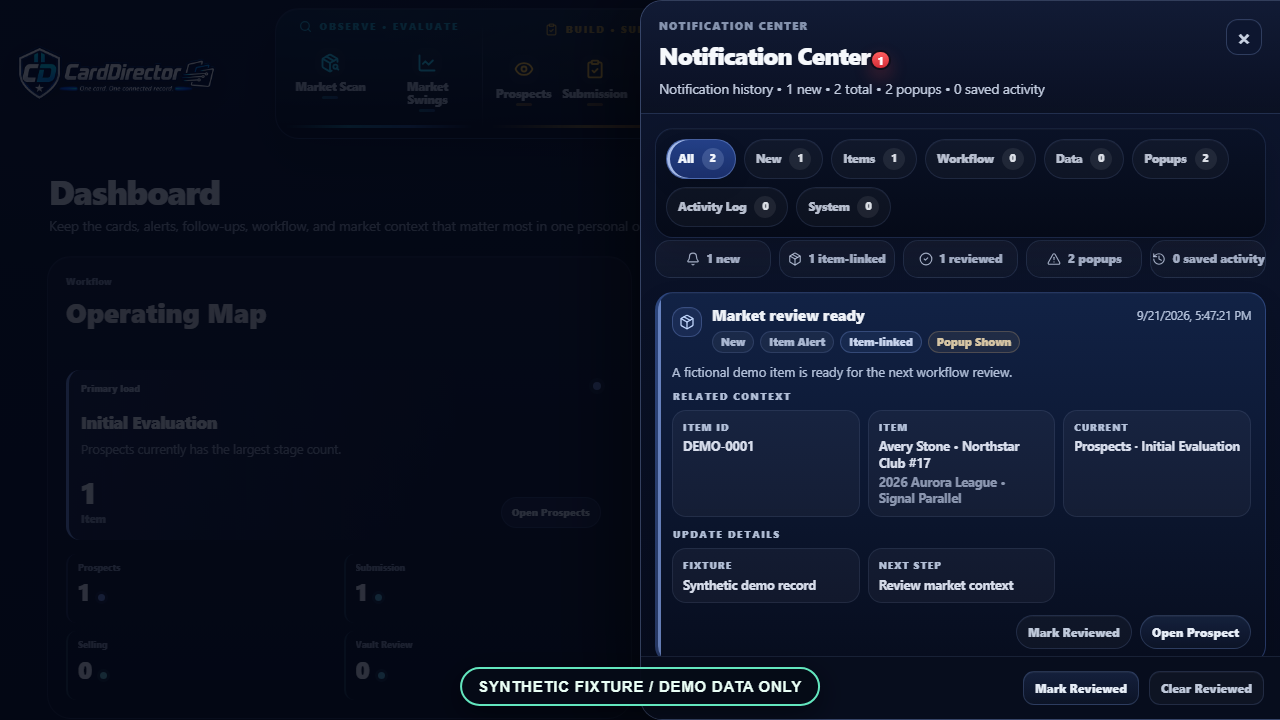
Synthetic fixture / Demo data only. No live market or customer data.
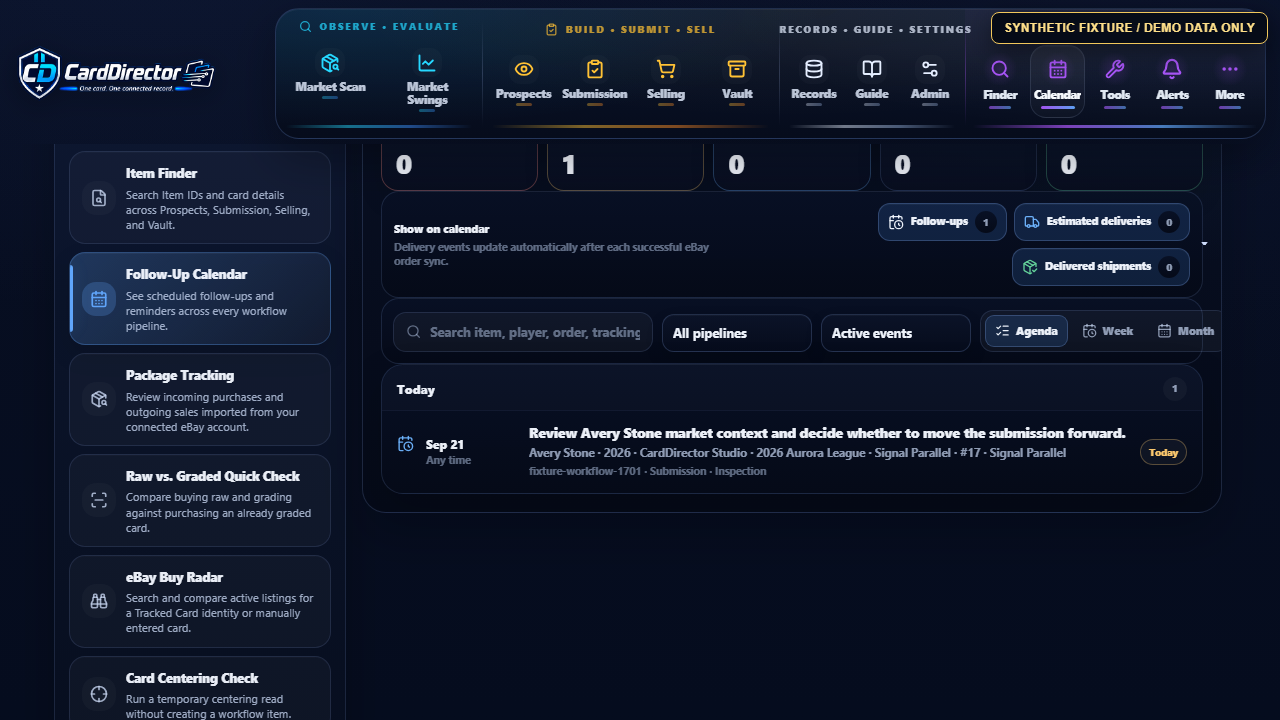
Synthetic fixture / Demo data only. No live market or customer data.
This isolated fixture capture shows a detailed Avery Stone review reminder in the Today agenda, including its linked submission context. The event is created in browser-only demo state; names, dates and counts are illustrative, with no live shipment or customer data.
Customize & Learn
Open through a visible startup sequence, adjust how much detail appears on item pages, choose the appearance that works for you, and use the built-in Guide without leaving the desktop application.
Synthetic fixture / Demo data only. No live market or customer data.
CardDirector shows its startup progress and loads the saved settings. The Dashboard opens with Pinned Items, Upcoming Follow-Ups and the Action Inbox.
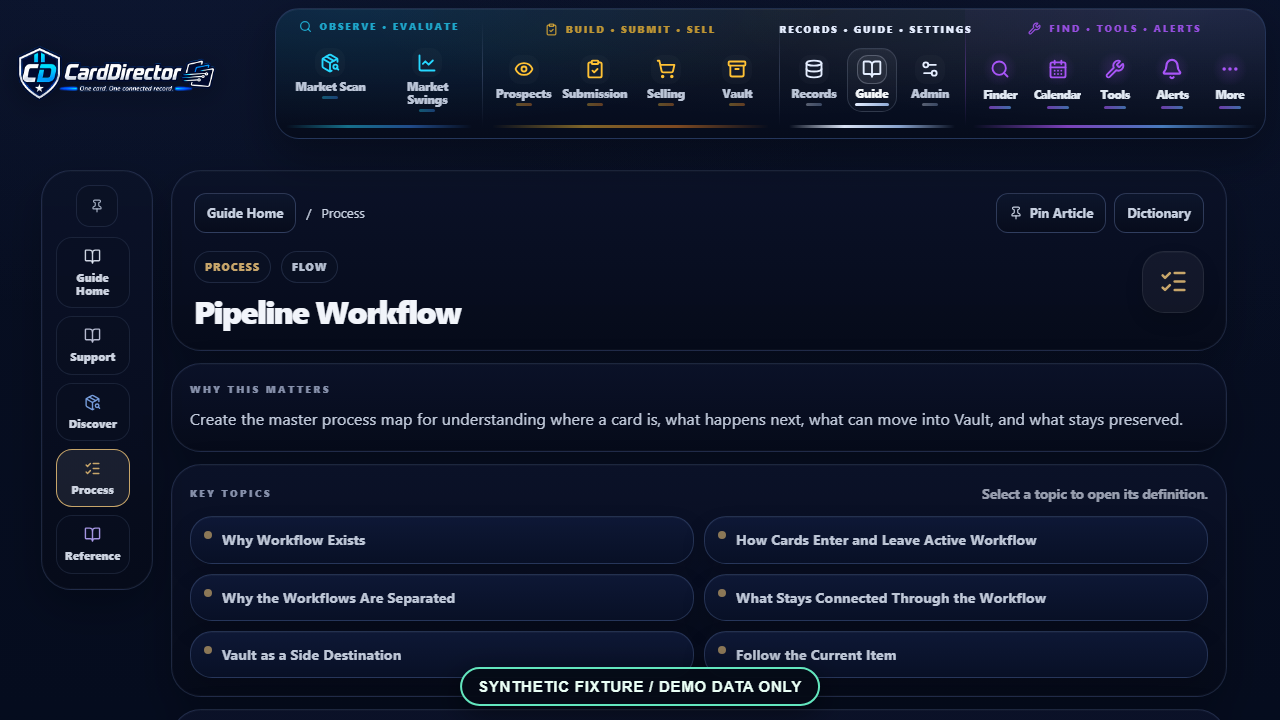
Synthetic fixture / Demo data only. No live market or customer data.
Dedicated Tools
This tour shows development features. The final Version 1 tool list will be confirmed with the release before purchase.
Open the right utility when the workflow calls for it—from finding a record and comparing a card to researching eBay listings, pricing, and follow-up work.
Photo Identification
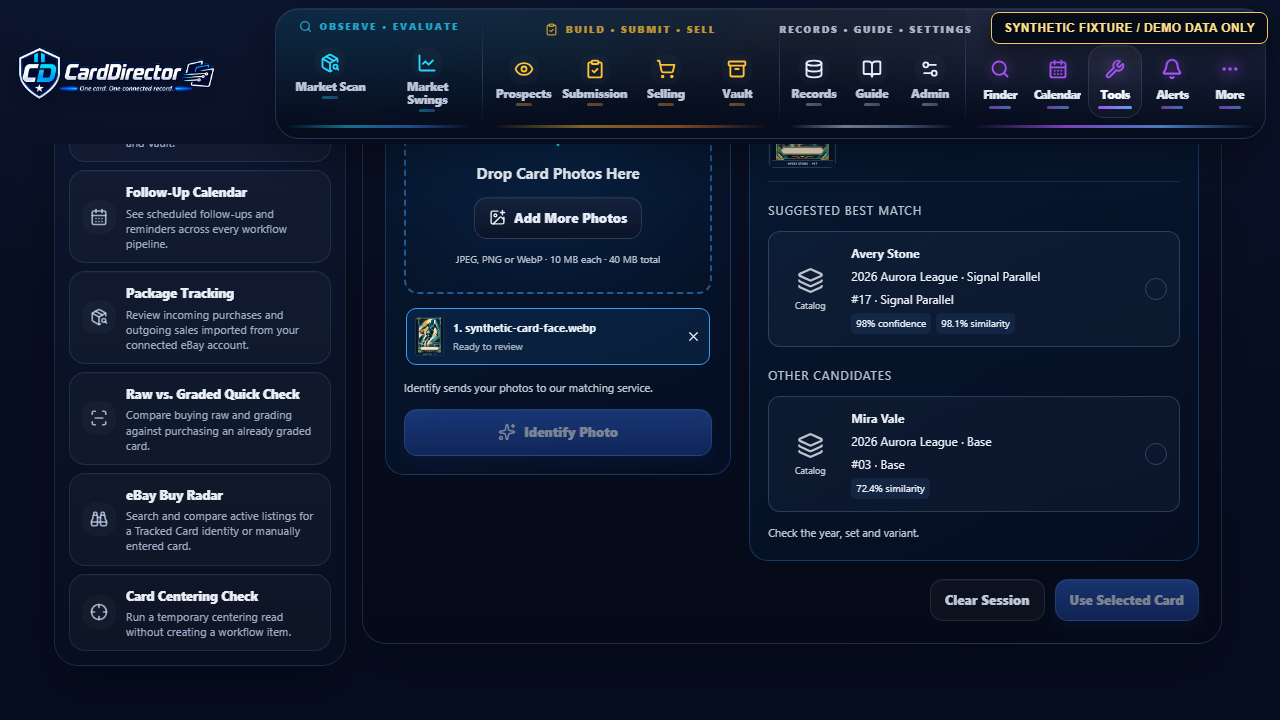
Start with a photo instead of a typed search. Review the suggested card and variant, then choose whether to carry it into your records.
Synthetic fixture / Demo data only. No live market or customer data.
This static synthetic fixture capture shows Photo Identification after a fictional card image was reviewed. Avery Stone, 2026 Aurora League, Signal Parallel appears as the suggested match alongside the fictional Mira Vale candidate. Displayed match scores are illustrative and are not a guarantee of correct identification.
Locate records, organize next actions, and keep shipments visible.
Search Item IDs and card details across Prospects, Submission, Selling, and retained cards.
See scheduled follow-ups and reminders across every workflow pipeline.
Planned: review available shipment updates for eligible orders from a user-authorized eBay account. Live eBay access is not connected.
Run quick checks without building a complete workflow record first.
Choose a photo, review suggested matches, and select the card before taking the next step.
Compare buying raw and grading with purchasing an already graded card, using available values, costs, and resale scenarios.
Run a temporary centering review without creating a workflow item.
Planned listing research can carry reviewed information into your card workflow. Live eBay listings are not connected in this preview.
Planned: search and compare active listings for a Tracked Card or a manually entered search. Live eBay access is not connected.
Planned: review a live listing and link it to the correct Prospect. Live eBay access is not connected.
Live card search and pricing are planned for launch, subject to provider agreements, verified access and final coverage. Demonstrations use fictional market data.
Live eBay listing, order and shipment access is not connected in this preview. The planned Package Tracking connection requires user authorization and is limited to eligible orders and the information eBay supplies.
Before Public Release
These development previews show local records and workflow tools using fictional data. The final launch feature list and provider coverage will be confirmed before purchase.
Check Connected-Service Availability →Live market-data coverage depends on provider agreements and verified access. Live eBay listing, order and shipment access is not connected in this preview.
Public software access and paid sales have not opened. The free waitlist starts no trial or subscription.
CardDirector does not guarantee grades, prices, sales, margins or profit.
Looking Ahead
These features are future work, not part of the current preview or a promise of launch availability. Plans may change as development and provider agreements progress; no release dates are set.
Phone-to-desktop photo transfer. Use a QR connection to send phone photos into the desktop identification queue.
PSA-connected services. Planned certificate verification and grading order or submission progress tools. Manual grading workflows remain separate from these future connections.
Checklist, team, and rookie details. Enrich card records with additional reference information, subject to data rights and reliable card matching.
eBay CSV pricing updates. New-listing pricing and price refresh are being reconsidered for Version 2; delivery is not committed.
External calendar sync. Bring follow-ups into an external calendar. A release version has not been committed.
More buying and tracking options. Direct eBay purchases or in-app checkout, broader listing monitoring, and support for more shipment carriers are exploratory ideas, subject to provider access and permissions.
Advanced predictive research. Additional tools for evaluating possible outcomes remain exploratory, with no committed release.
Plan Your Setup
Review Windows setup, activation and subscription information before deciding whether CardDirector fits your workflow.
Explore the details. Ask a question. Join the waitlist for the public Windows launch.